96 Azure Local redeployments in ~10 days — because the order never slipped.
A redeployment is a long chain of steps that have to happen in the right order: Azure prerequisites, BitLocker, cluster shutdown, OS install, post-deploy validation, storage reattach, VM import, HA roles, health checks. Miss the order and you brick a site. This is the scrappy PowerShell console — about a day to build — that enforced that order, gated each step on the last one succeeding, and logged every command. That discipline, not any one clever script, is how one engineer cleared 96 sites.
 PowerShell
  Azure
Azure 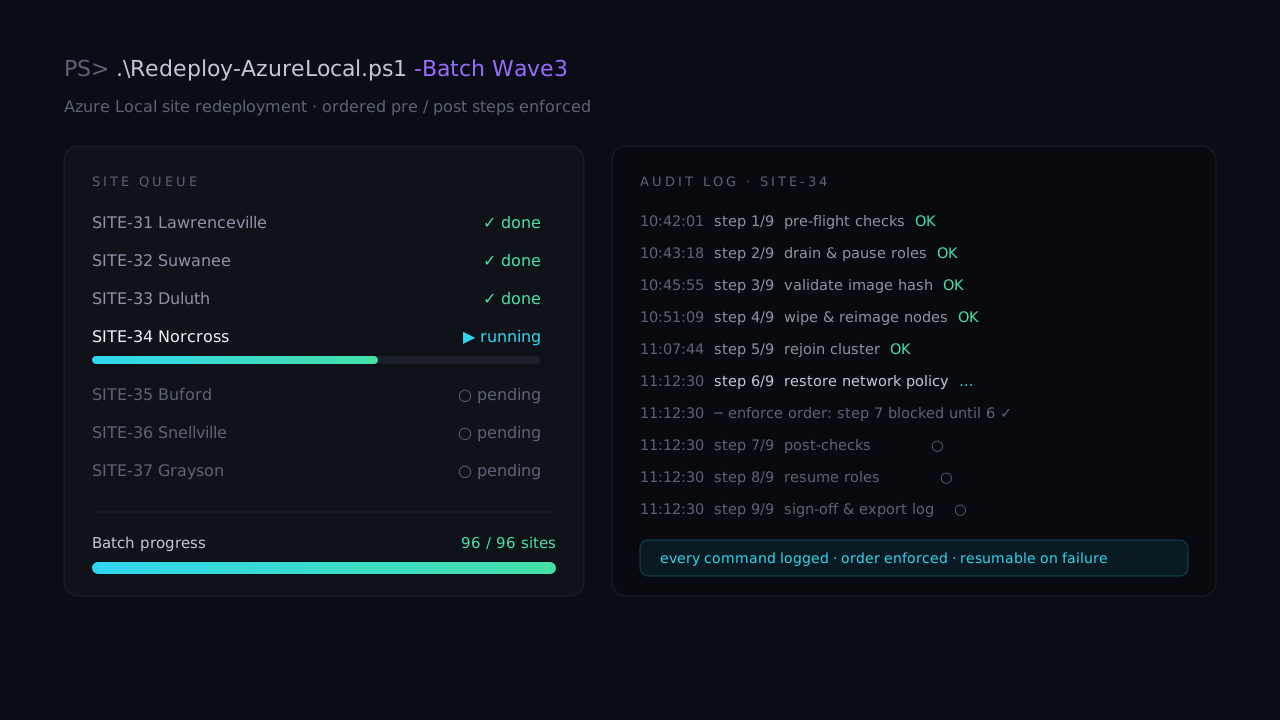
The risk wasn't any single step. It was losing the order.
Redeploying an Azure Local site is not one action — it's a long, branching runbook. Each site has to walk through Azure prerequisites, pre-migration checks, BitLocker handling, cluster shutdown, OS install, post-deploy validation, storage reattachment, VM import, HA role creation, and a final workload health check. The steps are destructive and order-dependent: reattach storage before BitLocker is resumed, or import VMs before HA is configured, and you've made a mess on production hardware.
Doing that once carefully is fine. Doing it across 100+ sites in a few weeks, alone, while juggling multiple sites in parallel, is where humans drop steps. The real failure mode wasn't "I don't know the command" — it was "which site am I on, what did I already run here, and is it safe to run the next thing yet?" The tool exists to answer exactly those three questions, every time.
A gated runbook, not a folder of scripts.
Right order, one site at a time, every command on the record.
Order-enforcement plus logging is what made 96 possible.
The throughput came from never re-deriving state by hand.
It would be easy to read the headline number — 96 sites in roughly ten days, around seven a day — and assume the win was clever imaging or fast ISOs. It wasn't. The ISO and post-deploy tooling standardized node prep, but the throughput came from removing the decision tax: at any moment the console could tell you, per site, which step was next, which had been done, and whether the next one was safe to start.
Because every command was logged by site and every step gated on the last, a site that failed mid-run was resumable rather than a forensic exercise. You could run twelve sites in a batch, walk away from the slow ones, and come back without re-deriving state from memory or scrollback. That's the difference between "carefully redeploy a site" and "carefully redeploy a hundred sites" — and it's why the value lives in the ordering and the audit log, not the scripts they wrap.
This was a scrappy tool — about a day of build — pointed at one job: keep a solo operator on-rails across many high-risk migrations. No client data here, and the console graphic above is illustrative. Want the ordering-and-audit pattern walked through for your own migration work? Ask me about it →