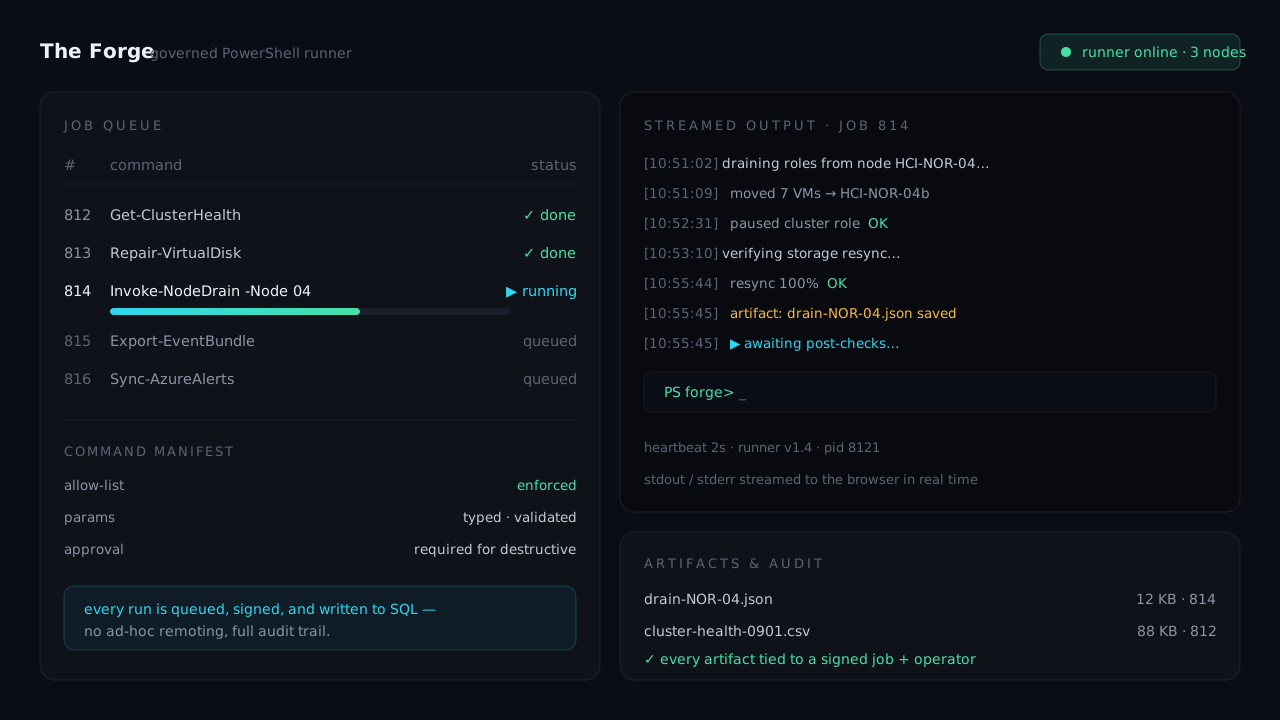
Real PowerShell, from a browser — without the foot-gun.
The Forge lets operators launch approved automation workflows straight from the dashboard — deploying listeners, running diagnostics, reconciling data — with none of the danger of exposing a shell to the web. Every run is queued, governed, captured, and auditable. It's the piece of the platform I'm proudest of.
 PowerShell 7
  SQL Server
  Node
Node Operators need to run real ops. Browsers should never run real shell.
Half of monitoring is seeing the problem; the other half is doing something about it — deploy a fault listener to a node, run a diagnostic, reconcile warranty records, kick off a remediation. In a locked-down, multi-domain environment, that work normally means RDP, jump boxes, and tribal knowledge about which commands run, in what order, with which credentials.
You can't solve that by letting a web app shell out — that's how you hand the internet a domain admin. The Forge is the in-between: a runner that only executes source-controlled, approved command manifests, queued through SQL, executed by a Windows runner, and recorded end to end.
Manifest in, evidence out.
Nothing runs that isn't approved, queued, and recorded.
Governed workflows, not one-off scripts.
Listener & agent rollout
Deploys and validates the HCI health-fault listeners across nodes — including the non-prod relay path — from one governed action.
SharePoint warranty sync
Matches HCI collector serial numbers against Lenovo warranty data and SharePoint records, producing backups and planned-change artifacts before any write.
AksArc remediation
Runs Support.AksArc diagnostic and remediation workflows with streaming output capture and target-local scheduled-task execution.
The runner patterns were the hard-won bit.
Figuring out which commands had to run, and exactly how, across domains and credentials.
# Launch an approved workflow — queued, governed, and fully recorded.
function Invoke-ForgeJob {
  param([ManifestId]$Command, $Targets, $Requester)

  $job = New-ForgeQueueEntry `
      -Manifest $Command -Targets $Targets `
      -RequestedBy $Requester -Status 'Pending'   # durable SQL row

  Write-Heartbeat -JobId $job.Id                # prove the runner is alive
  $result = Invoke-Runner -JobId $job.Id -Capture 'Stream'
  return $result | Publish-Artifacts | Write-AuditTrail
}
The genuinely gnarly work was the runner patterns themselves — the exact command sequences, credential and double-hop handling, and per-environment relay across five domains. Since that's the part people actually struggle with, I plan to share code samples for the Forge runners. Watch this space, or ask me about it.
Where the screenshots will land.